Purpose of the Shutdown Procedure (Why This Matters)
The shutdown procedure is an automated software-guided process that purges all reagent and amidite lines with gas, returning residual liquids to their source bottles and leaving the fluidic system dry and safe for maintenance.
The primary purpose of the shutdown procedure is to:Inject gas through each reagent pathway so any residual reagent is pushed back into its original bottle.
By purging every reagent and amidite line with gas, the shutdown procedure:
-
Returns liquid to its bottle of origin
-
Leaves reagent and amidite lines dry, minimizing crystallization and clogged lines
-
Minimizes the likelihood of cross-contamination between reagents
-
Prevents liquid from remaining trapped in valves, tubing, manifolds, or blocks
This allows users or service engineers to safely turn off compressor pressure (and/or argon) when needed for maintenance or repair—such as membrane replacement, valve replacement, or diagnostics—without risking leaks, contamination, or damage.
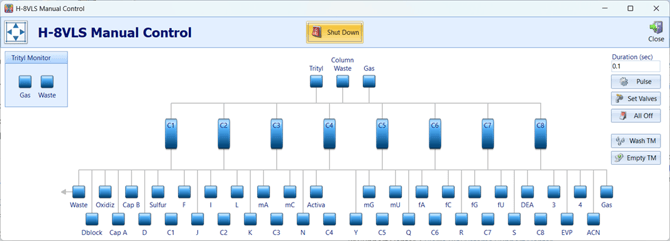
Where to Find the Shutdown Button
The Shutdown function is located in the:
Manual Control screen
⚠️ Important Pre-Shutdown Warning
Before starting the shutdown procedure, ensure that empty columns are installed in all column positions.
Running the shutdown without columns in place can result in improper purging or unintended solvent routing.
Key Automation Note
All valve firing, sequencing, and timing are handled entirely by the software.
-
No manual valve selection is required
-
The user should only follow on-screen prompts when instructed. This includes:
- Turning off the Pressure to the bottles
- Depressurizing the bottles
- Re-capping the bottles, if necessary
Step-by-Step: Running the Shutdown Procedure
Once initiated, the software will guide the user with on-screen prompts and automatically perform the following steps:
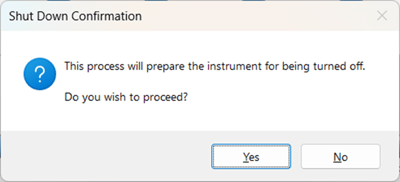
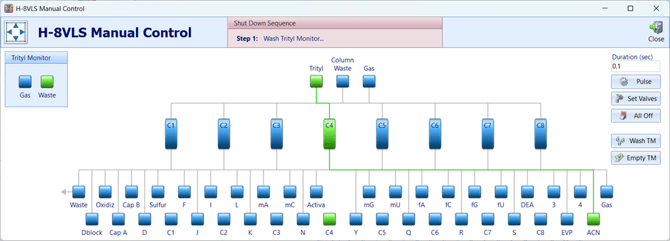
1. Washes the Trityl Monitor vials
-
Sends acetonitrile (ACN) through each column position to the trityl monitor vials
2. Empties the Trityl Monitor vials
-
Clears solvent from the trityl monitor lines using gas
-
Ensures the column waste lines are also cleared of any residual reagent or solvent
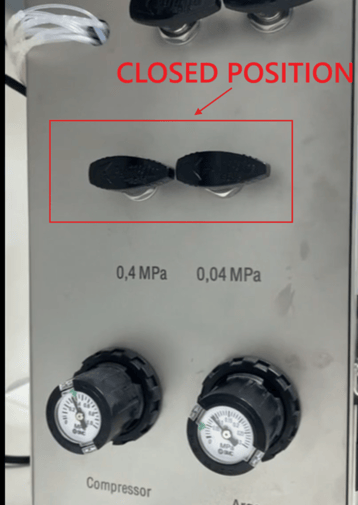
3. Prompts the user to close reagent and amidite pressure valves while leaving the Main Argon Valve ON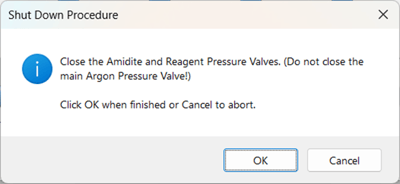
-
The main argon valve or Tap remains ON
-
This prevents additional pressure from being applied to bottles while still supplying gas to the manifold
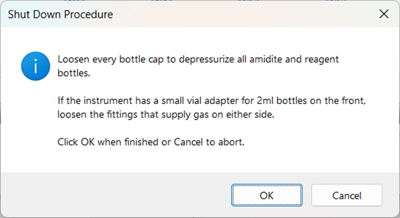
4. Prompts the user to loosen every reagent and amidite bottle cap
-
This step fully depressurizes all bottles
-
Critical step:
-
If bottles are not fully depressurized, reagents or amidites may become cross-contaminated during purging
-
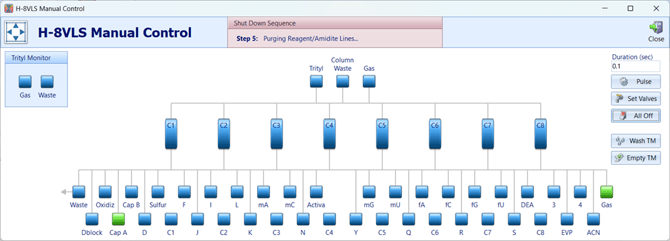
5. Sequentially purges each reagent and amidite pathway
-
The software activates the gas valve and each reagent/amidite valve one at a time
-
Gas pushes residual liquid backward into its original bottle
-
This works because:
-
Bottles are depressurized
-
Gas pressure is applied from the manifold side
-
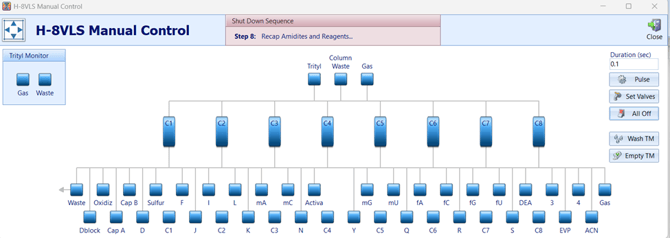
6. Clears column and waste pathways
-
Gas is purged through all column positions
-
Ensures no liquid remains in downstream lines
7. Purges the manifold
-
Gas is sent through the manifold to clear any internal liquid volume
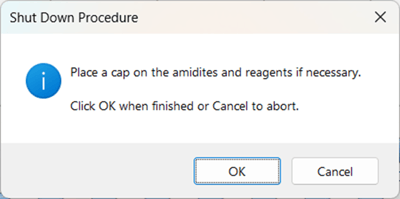
8. Prompts the user to recap reagents and amidites
-
Prevents moisture exposure
-
Keeps reagents fresh
-
This may include:
-
Recapping bottles still connected to the instrument, or
-
Capping bottles for storage after removal
-
9. Final confirmation
-
-
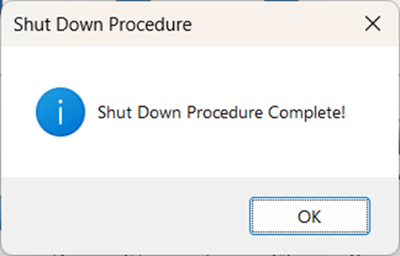
The software notifies the user that the shutdown procedure is complete
-
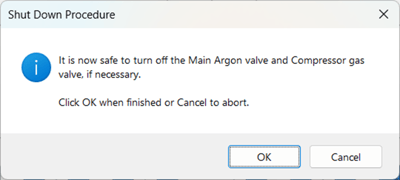
Confirms it is now safe to turn off:
-
Main argon supply
-
Compressor pressure (if desired)
-
-
Once the software reports Shutdown Complete, you may safely:
-
Turn off compressor pressure (if needed)
-
Required for valve replacement, membrane replacement, or maintenance
-
-
Turn off the main argon supply (if required)
These actions should only be performed after the software shutdown finishes.
Important Notes & Warnings ⚠️
-
❌ Do not turn off the compressor before running shutdown
-
❌ Do not interrupt power while shutdown is running
Skipping the shutdown procedure can leave liquid trapped in:
-
Reagent and amidite valves
-
Manifold internal volumes
-
Column or waste pathways
This significantly increases the risk of leaks, contamination, and component damage.
When the Shutdown Procedure Should Always Be Used
Always run the shutdown procedure before turning off compressor pressure, performing maintenance, or powering down the system for an extended period.
Run the shutdown procedure whenever you are:-
Preparing for maintenance or repair
-
Replacing a membrane or valve
-
Turning off compressor pressure
-
Powering down the system for an extended period